
How to Speed Up Slow Laptop (Proven Fixes for 2026)
Why You Might Need to Speed Up a Slow Laptop
Does it feel like your laptop is moving through mud? You click an icon and nothing happens for seconds. Then, suddenly, every program tries to open at once. It is a common problem that almost every computer owner faces eventually. Over time, even the best laptops start to lag because they collect digital clutter and hidden background tasks.
Try these steps to clear the mess and get your speed back.
Traditional Ways to Speed Up Slow Laptop Systems
These are the tried-and-true habits that have worked for years. They are the first things a tech expert does when a machine feels sluggish.
Every time you turn on your laptop, a bunch of apps jump out of bed and start running immediately. This makes your laptop take a long time to wake up and wastes a lot of power.
- Press Ctrl + Shift + Esc to open the Task Manager.
- Go to the Startup tab.
- Look for things like “Spotify,” “Steam,” or update tools.
- Right-click them and hit Disable.
Success Rating: ⭐⭐⭐⭐ (Very helpful for faster boot times.)
Think of your hard drive like a backpack. If it is stuffed to the very top, it becomes hard to find anything. Deleting big apps you don’t use anymore is one of the quickest ways to lighten the load.
- Go to Settings, then Apps, and look at Installed Apps.
- Sort by Size to see what is eating your storage.
- Uninstall any games or programs you haven’t touched in months.
Success Rating: ⭐⭐⭐ (Helps if your drive is almost full.)
A lot of people just close the laptop lid when they are done. This only puts the computer to sleep. A real Restart clears out the temporary memory and stops those tiny background errors that slow everything down. Try to do this at least once every few days.
Success Rating: ⭐⭐⭐⭐⭐ (The easiest way to fix daily lag.)
Modern Fixes to Speed Up Slow Laptop Performance
Software has changed. Windows 11 and modern apps use different resources now. Here is how to keep up with the latest technology.
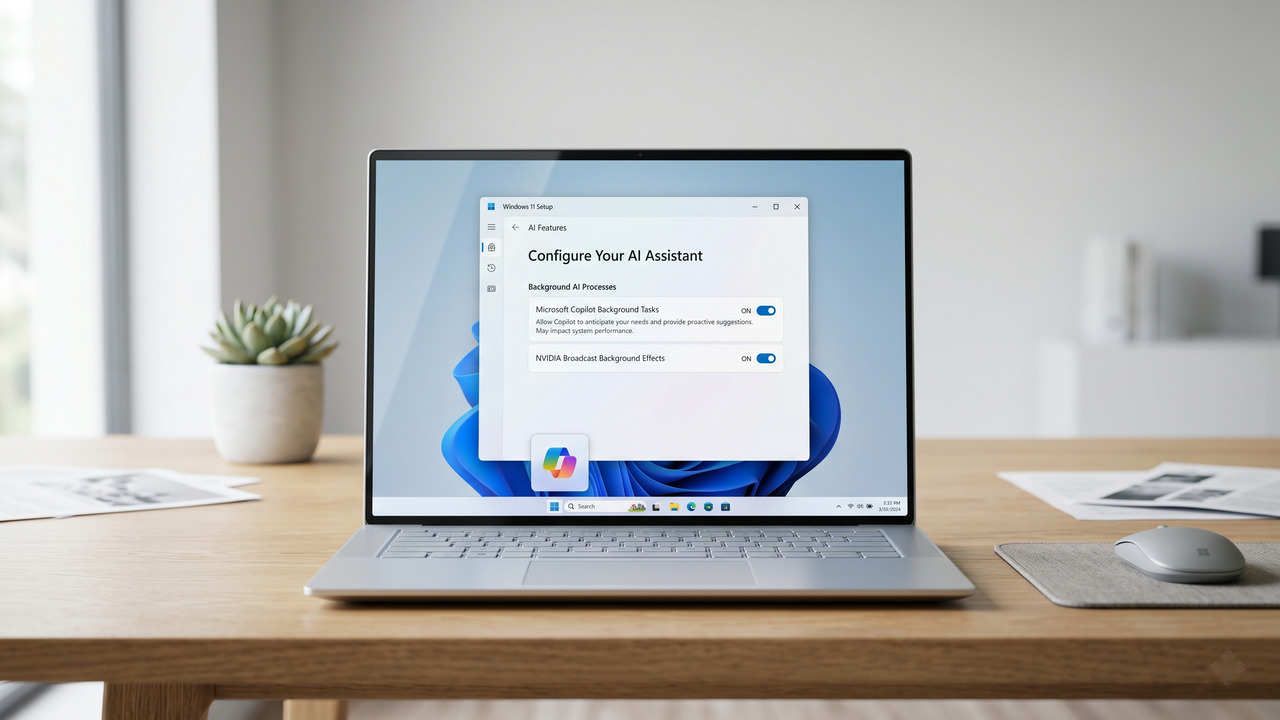
In 2026, Windows includes many AI tools like Copilot that run in the background. While they can be helpful, they also use a lot of your laptop’s brainpower even when you aren’t using them.
- Go to Settings and find Privacy & Security.
- Look for Generative AI or AI Features.
- Turn off “Background Learning” if you don’t need those tools every single day.
Success Rating: ⭐⭐⭐ (Great for saving battery and CPU usage.)
If your laptop is more than a few years old, it might have an old-style “Hard Drive” (HDD). Modern laptops use “Solid State Drives” (SSD), which are much faster.
- An SSD is roughly 5 to 10 times faster than an old HDD.
- Upgrading to an SSD is the best way to make an old laptop feel brand new. It is usually much cheaper than buying a whole new computer.
Success Rating: ⭐⭐⭐⭐⭐ (The most powerful speed boost possible.)
Conclusion
When you finally speed up a slow laptop, the goal is to keep it that way. By mixing old-school cleaning with modern hardware choices, you can keep your machine running fast for a long time. Just remember that a laptop doesn’t have to be brand new to be snappy; it just needs to stay organized.
- Keep your laptop updated so it has the newest speed fixes.
- Stay away from “Free PC Booster” apps. They are usually just ads.
- Clean the dust out of your laptop’s vents so it stays cool and happy.
- Watch the Heat: If your laptop feels hot, it will slow itself down to keep from melting. Try to work on a hard desk rather than a bed or pillow.
- Memory Boost: If you do a lot of tasks at once, moving up to 16GB of RAM is a great modern fix.
- Security: Run a quick scan in Windows Security once a week to keep things safe.
- Desktop Space: Try not to keep 1,000 files on your desktop. Move them into your “Documents” folder instead.
Frequently Asked Questions About How to Speed Up Slow Laptop
❓ Will these methods delete my personal files?
No. These steps only stop programs from running in the background and clean up system junk. Your photos and documents stay exactly where they are.
❓ How do I tell if I have an SSD or HDD?
Right-click the Start button and open Task Manager. Click on Performance and then Disk. It will show the drive type right there on the screen.
❓ Is Windows 11 slower than the older versions?
Not really. It has more features, but the 2026 updates have made Windows 11 run very quickly on most modern hardware.